This release marks the 10th year anniversary of ara!
I wrote about the vision for the project here on the blog a little bit more than 10 years ago now and didn’t expect what a wild ride it would be.
Let’s see what the next 10 years look like.
In the meantime, ARA 1.8.0 has been released: it is available on PyPI as well as Docker Hub and Quay.io.
You can try it out with the getting started guide or by checking out the live demo at https://demo.recordsansible.org.
TL;DR:
# Install ansible and ara in a virtualenv
python3 -m venv ~/.ara/venv
source ~/.ara/venv/bin/activate
pip install ansible "ara[server]"

# Run a playbook with ara enabled
export ANSIBLE_CALLBACK_PLUGINS=$(python3 -m ara.setup.callback_plugins)
ansible-playbook playbook.yml

# Check it out in your terminal
ara playbook list

# or in your browser: http://127.0.0.1:8000
ara-manage runserver
Summary
ARA 1.8.0 introduces an optional MCP server for AI agents to interact with recorded Ansible data, a Prometheus exporter with a Grafana dashboard for metrics and alerting, and significant server performance improvements through database optimization.
This release also bumps the minimum Python version to 3.10 and requires Django 5.2.
This blog post will highlight some of the changes since ara 1.7.0 but for the full list, see:
MCP server for AI agents
ARA 1.8.0 is the first version with an optional, standalone MCP (Model Context Protocol) server. This allows AI agents to interact with ARA’s recorded data using specialized tools, reducing token usage and improving troubleshooting efficiency.
The MCP server is designed to be simple and read-only to give LLMs quick access to detailed playbook results over the ara API.
It does not ship in the ara package on purpose: run it out of the contrib source repository:
https://codeberg.org/ansible-community/ara/src/branch/master/contrib/mcp
For a demonstration of how this works, I did a presentation about it at cfgmgmtcamp back in February:
- https://www.youtube.com/watch?v=WvMmCr8Ho4c
- https://ara.recordsansible.org/presentations/cfg-mgmt-2026/Asking-a-local-LLM-about-my-Ansible-playbooks.pdf
Monitoring and Observability
A new Prometheus exporter is now available from the ara prometheus CLI to track and alert on Ansible metrics recorded by ARA.
This includes a pre-configured Grafana dashboard to visualize playbook execution trends and performance.
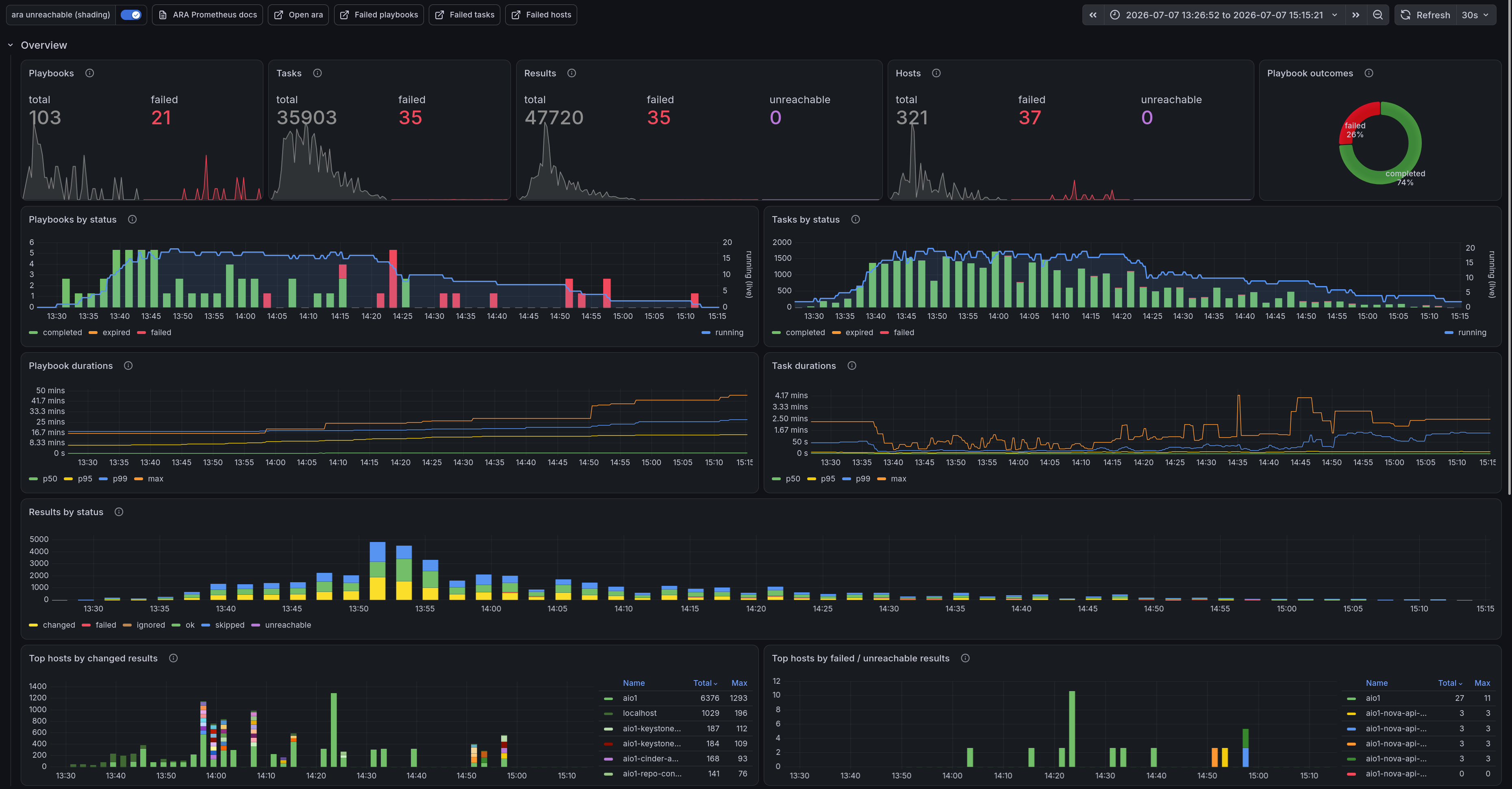
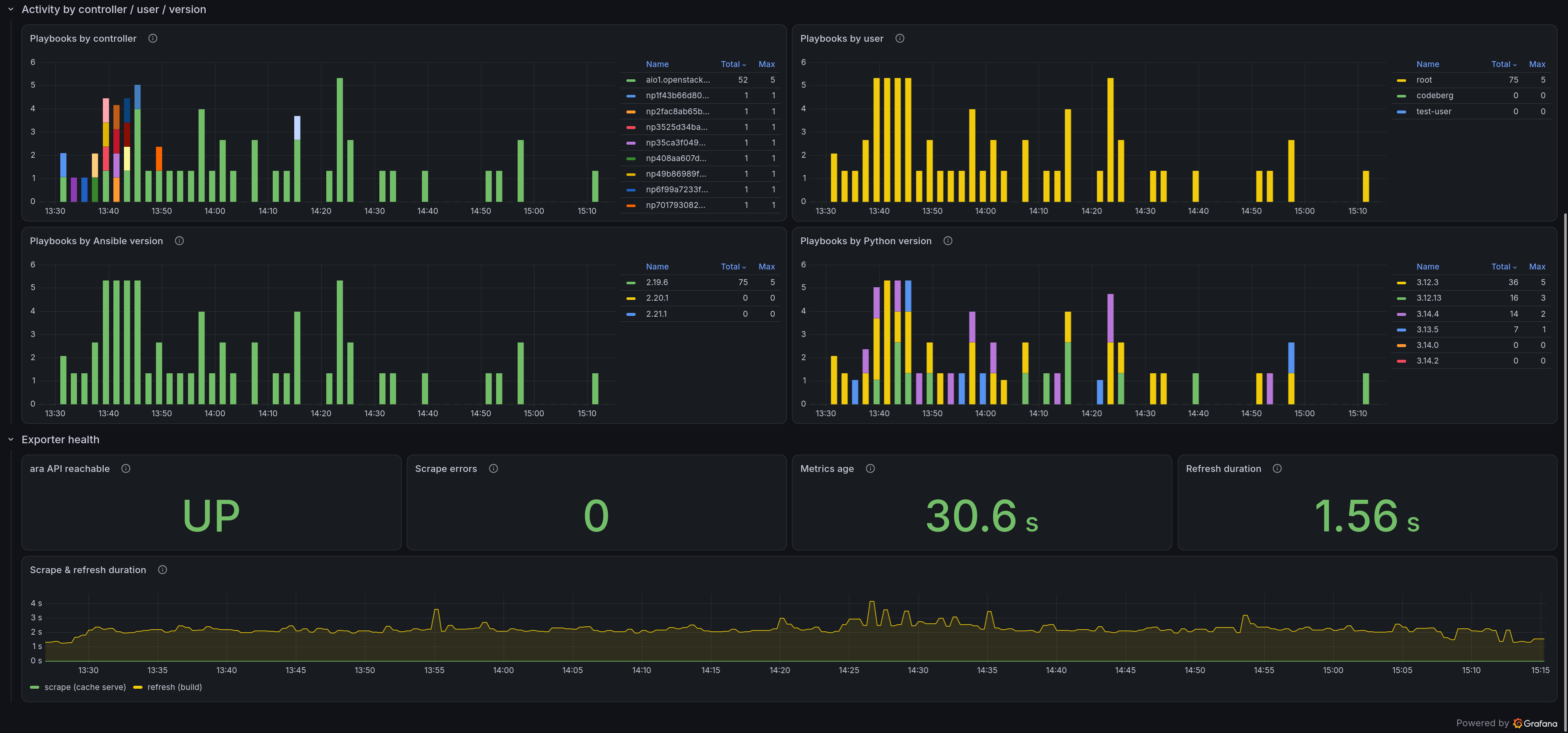
Documentation on how to use them and how they work is available:
https://ara.readthedocs.io/en/latest/prometheus.html
This has been a long time coming, having been a work in progress for over 3 years !
I talked about what was wrong with the prototype back in 2024, too.
Over the past couple years, through trial/error and by way of discussing ara’s use case with very knowledgeable people, I have learned enough to produce an exporter that actually works and scales a bit.
There is still some work to be done and metrics to add, but I am personally excited to finally see this land as a good first iteration that is already useful.
Server performance
Significant performance improvements are landing in ARA 1.8.0:
- New database indexes to hot query paths (like status and timestamps)
- Resolved N+1 query issues, notably on the playbook list
- Optimized expensive queries using Django’s prefetch_related and avoiding unnecessary usages of distinct
There is still work to do but the web interface as well as the API should already feel much faster and more responsive in general, especially for big playbooks or large instances.
Container images and Gunicorn tuning
Project container images have been updated to use Fedora 44 and AlmaLinux 10 as base images.
Additionally, Gunicorn was tuned to use worker threads to improve concurrency performance:
python3 -m gunicorn --workers=4 --threads=4 --worker-class gthread --access-logfile - --bind 0.0.0.0:8000 ara.server.wsgi
Users are free to tune these numbers by specifying a custom command to the containers according to their host and workload.
Upgrade notes for 1.8.0
Update the version of ARA and restart the server if one is running. The version of ARA used to record playbooks should be the same one as the server.
A new SQL migration adds several indexes to improve database performance.
As always, take a backup of the database and run ara-manage migrate after updating ARA where the server runs from.
The minimum version of Python is now 3.10, up from 3.8. Django 4.2 is no longer supported and the minimum version has been bumped to Django 5.2.
What’s new since 1.7.0?
Other than that, several noteworthy highlights since our last blog feature for 1.7.0:
Codeberg migration
The ARA project has completed its migration from GitHub to Codeberg. The source repository now lives at: https://codeberg.org/ansible-community/ara
The repository on GitHub remains as a mirror for now. This transition, started in 1.7.3, is now complete with all CI jobs, links and documentation pointing to Codeberg.
The Codeberg repository doesn’t quite have 2k+ stars like on GitHub, consider clicking that star button!
Ansible deprecations, warnings and exceptions (1.7.5)
With ansible-core 2.19 introducing deprecations, warnings and exceptions directly in the task results recorded by ARA, version 1.7.5 extracts them from the task results and attaches them to the tasks directly.
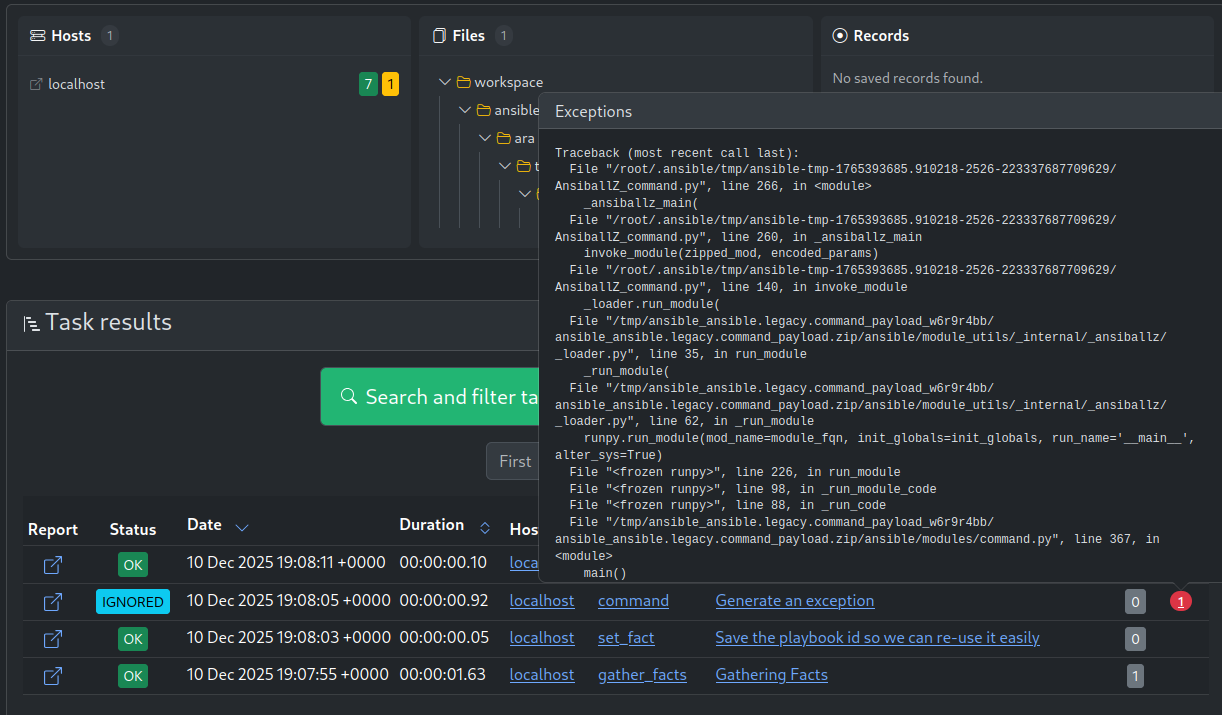
Exposed under /api/v1/tasks, they are also available in the UI under a new column called “notes” when browsing playbook results.
Modern packaging (1.7.5)
ARA historically used OpenStack’s pbr with a setup.py and setup.cfg for packaging, installation and versioning. Since then, pyproject.toml has emerged as the modern way to package Python software.
With special thanks to Adrien Banlin (sohorx), ARA has completed migration to pyproject.toml.
Django 5.2 support with MariaDB (1.7.4)
Django 5.0 changed how UUID fields are managed with MariaDB. The models were updated and a new migration was added accordingly.
UI improvements (1.7.4)
There were some great UI improvements in 1.7.4:
The playbook header at the top of a playbook report was redesigned for clarity and mobile responsiveness. The hosts, files and records sections received similar treatment:
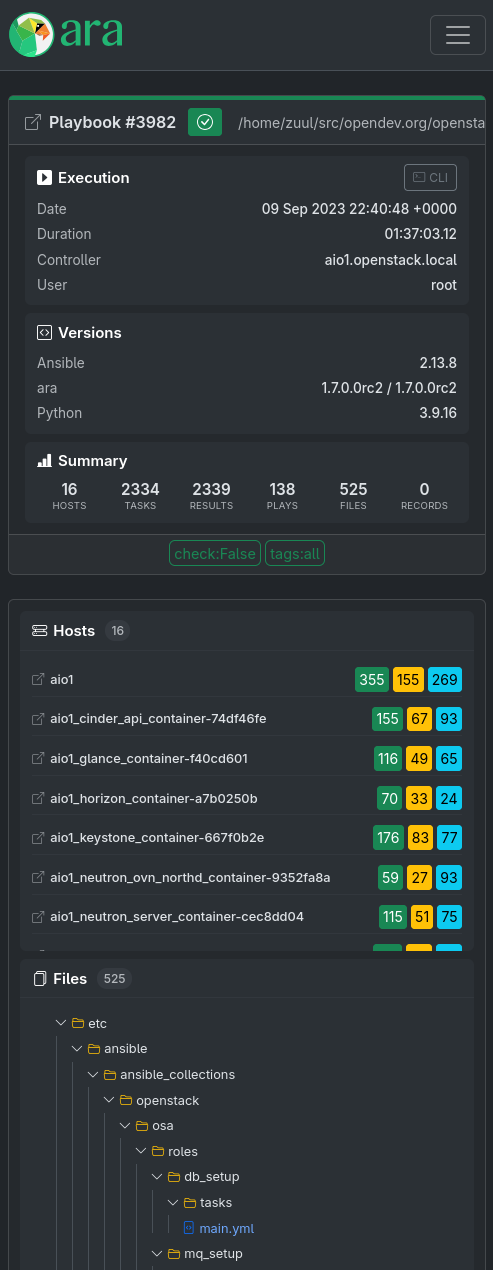
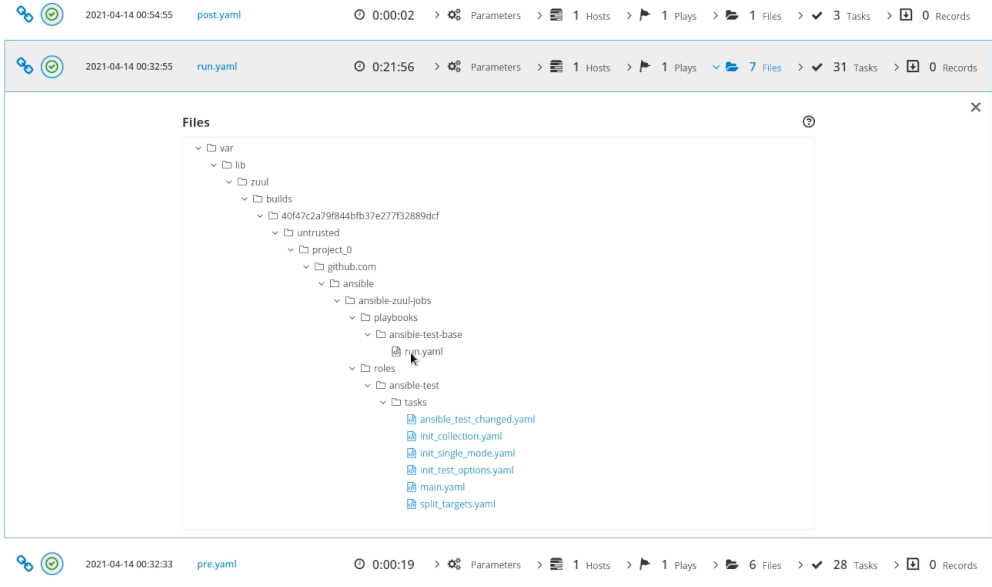
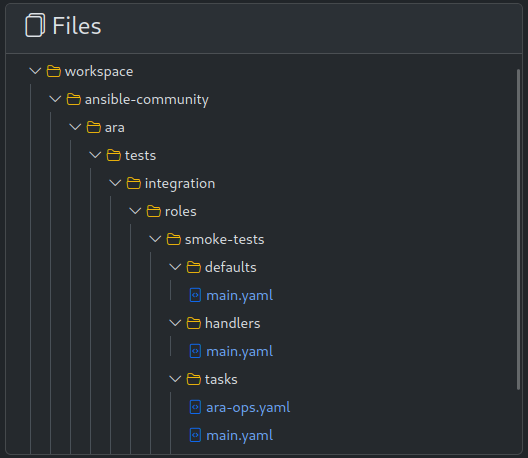
The recorded files are now displayed inside a file hierarchy browser. This actually used to exist back in ara 0.x but I never got around to implementing it differently ever since the rewrite from Flask to Django for ara 1.0.
This is what it looked like in Flask a long, long time ago:
and now back in the new Django interface:
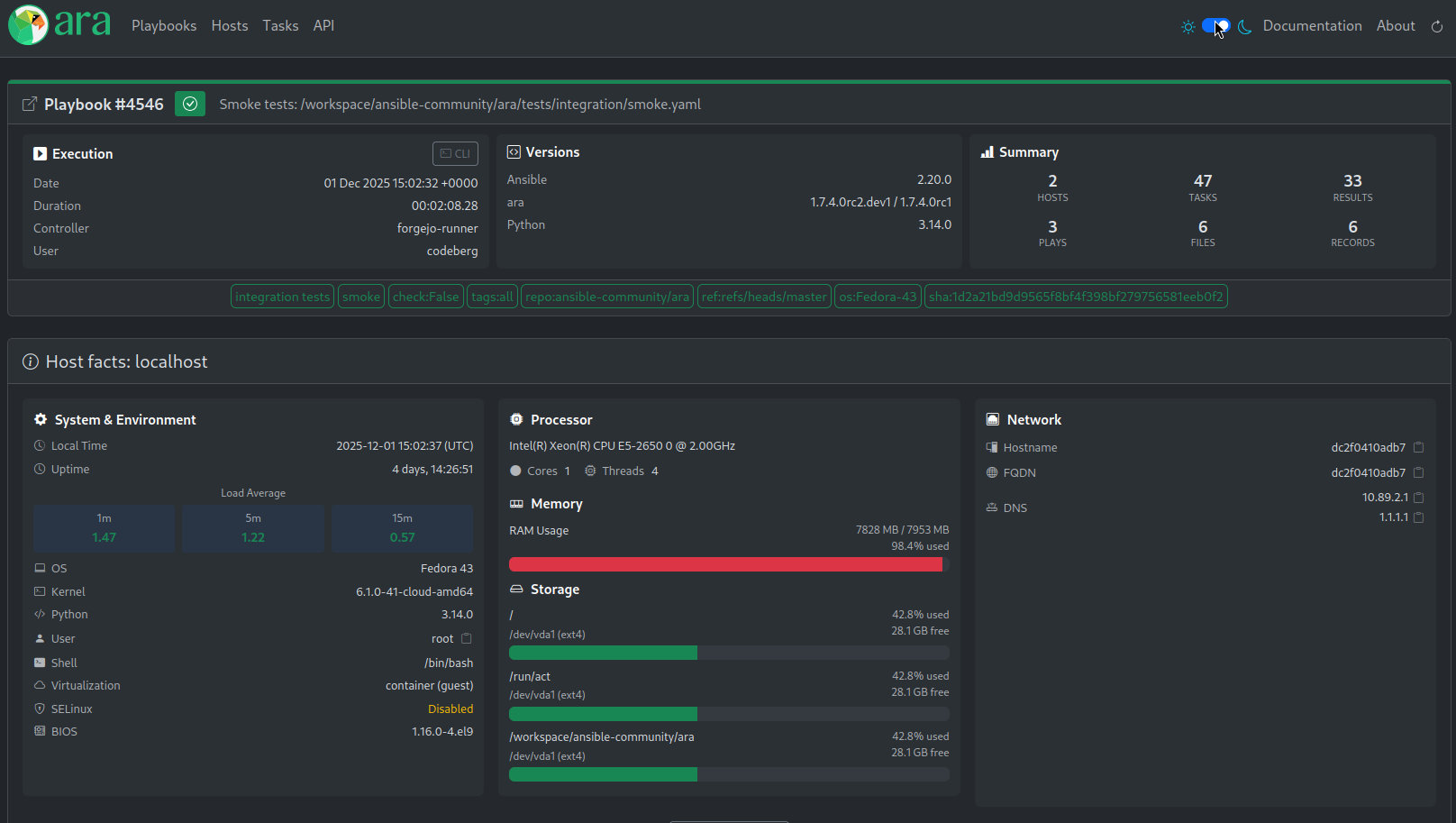
Now, when gather_facts: true, ARA now displays a dashboard including load average, memory and disk usage, uptime, OS, kernel and Python version, and network interfaces.
New ara_label action plugin (1.7.3)
This new module provides the ability to manipulate ARA’s labels on playbooks dynamically, allowing you to add or remove labels based on conditions, lookup values, or statically.
That’s it for now
1.8.0 marks a milestone for significant new features and improvements !
Want to contribute, chat or need help?
It is possible to support the project by ordering stickers or donating tips: https://ko-fi.com/rfc2549
ARA could use your help and we can also help you get started. Please reach out!
The project community hangs out on IRC and Matrix.
You can also stay up to date on the latest news and development by following @ara on fosstodon.org or subscribing to the RSS feed.